.svg)

Everybody would agree that Salesforce adoption ≠ logins.
But then the next question becomes:
What is adoption?
At GoElephant, we believe Salesforce adoption lives at the intersection of:
The important word is consistency.
Because not every Salesforce user is expected to use Salesforce the same way.
Sales teams may only need to work in Salesforce a few times per week.
Customer service teams may be expected to live in Salesforce every day.
Leadership may only need visibility and occasional interaction.
So if expectations differ across teams… How do you define “good adoption”?
Most adoption reporting treats every Salesforce user the same.
That creates misleading signals.
If your customer service team works in Salesforce daily while your finance team only touches Salesforce occasionally, should they really be measured against the same expectations?
Probably not.
But many organizations still use:
The result:
Definitions matter.
Because your definition of “expected usage” directly impacts:
Several enterprise customers raised the same challenge:
“We can’t measure adoption fairly if expectations are identical for everyone.”
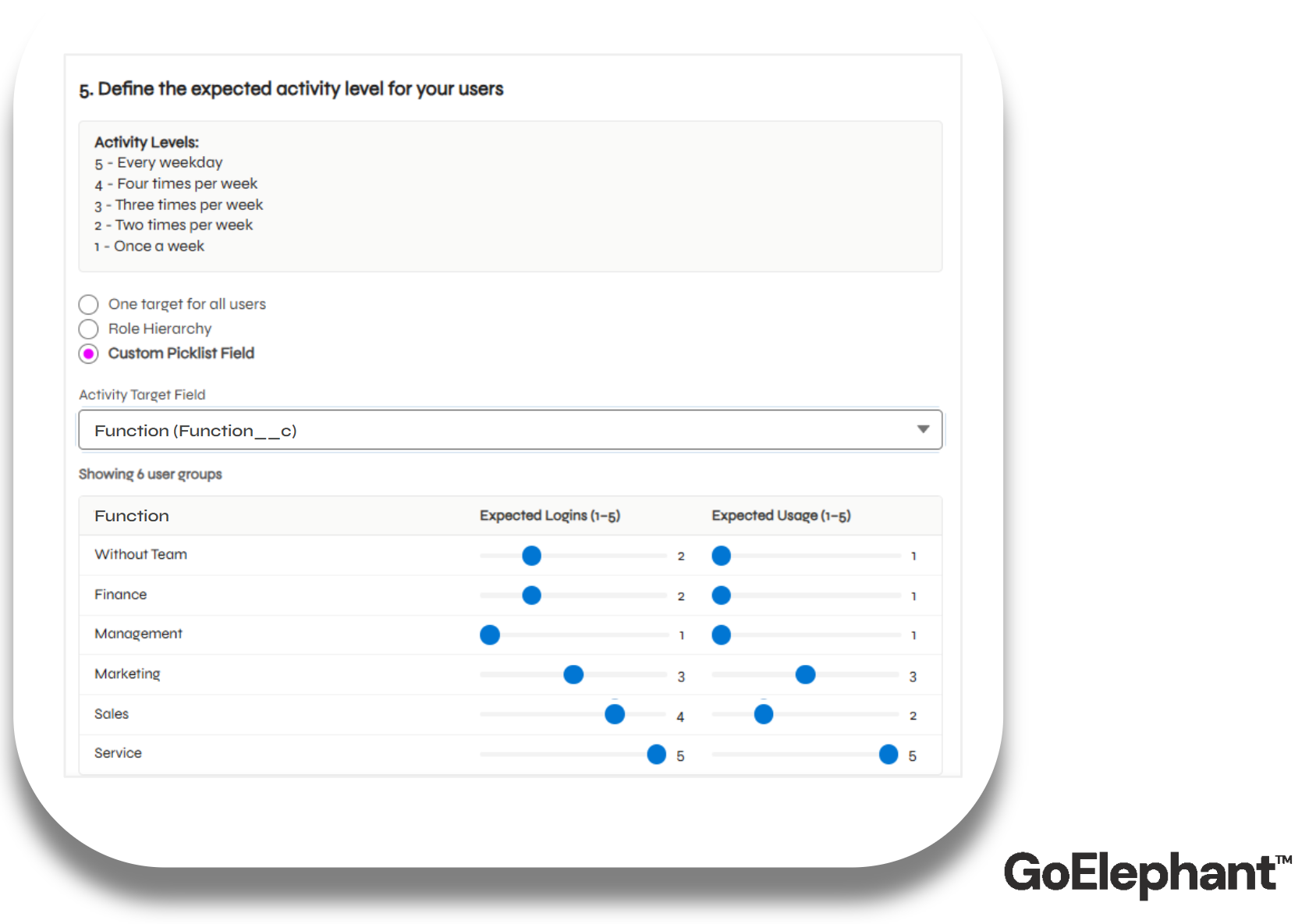
They were right. So we introduced Custom Activity Targets.
You can now define different expected activity levels for different user groups.
This includes:
Targets can be configured by:
That means your GoElephant adoption scores now reflect how different parts of your organization are actually doing vs. your expected use of Salesforce.